All work
Case study · 2026
Relaunch
A modern Mac launcher that brings back the visual, app-grid era — with a current-day polish.
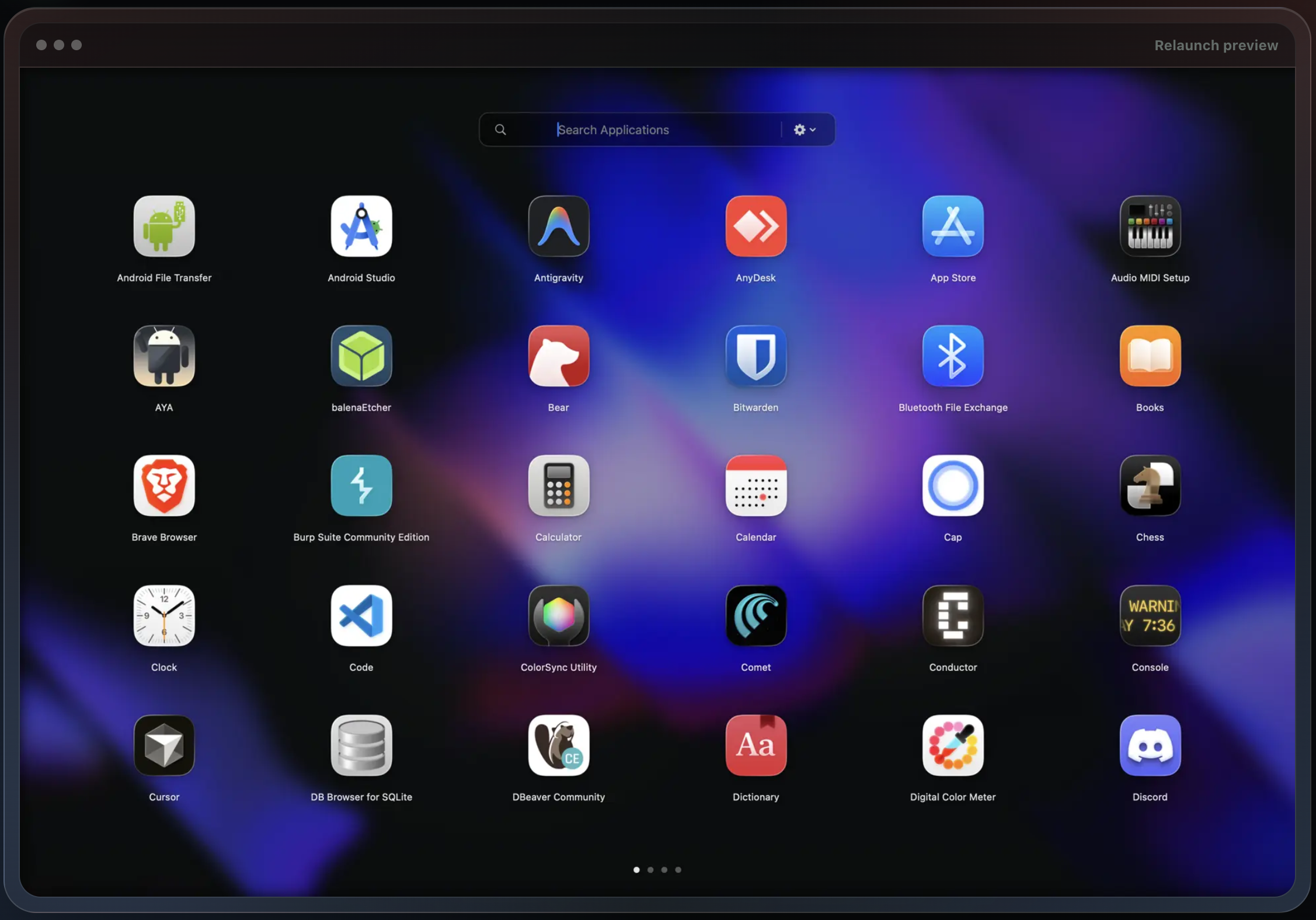
Relaunch brings back the old-style Mac launcher with a modern twist. It offers a visually appealing and customizable interface that lets you quickly access your applications, files, and folders. With its intuitive design and powerful features, Relaunch is built to boost productivity and streamline your workflow.
The problem
The macOS Launchpad has barely changed in a decade. It feels heavy and slow, doesn't keyboard-navigate the way power users want, and lacks the visual breathing room of older launchers. Many users still miss the original grid-style experience with fast, snappy interactions.
Approach
- Native Swift + SwiftUI, with thin AppKit layers where SwiftUI can't reach (global hotkeys, hot corners,
NSVisualEffectViewblur). No Electron, no browser engine — the app is a real Mac app that respects system appearance signals, gets free accessibility integration, and launches instantly. - SwiftUI
LazyVGrid+ a custom layout for the icon grid, with item virtualization so 500-app libraries don't drop frames during scroll or theme transitions. - Keyboard-first navigation — every action reachable from the keyboard. Focus state is owned by SwiftUI's
@FocusState, so search, grid navigation, and folder traversal all chain cleanly. - NestJS backend for license validation, workspace sync, and update metadata. The storage layer is swappable so a future self-hosted mode stays cheap.
- Lemon Squeezy handles the one-time Pro purchase, license-key issuance, and global tax/VAT compliance. The app never touches a card; the backend only validates keys.
Highlights
- Legacy Launchpad import. macOS's old Launchpad layout lives in a SQLite database tucked away in
~/Library/Application Support/Dock/. Relaunch parses that file and rebuilds the user's existing folders, ordering, and pages on first run — so anyone migrating doesn't have to rebuild a decade of muscle memory. - Workspaces (Pro tier) are the feature I'm proudest of. Switch contexts and the entire app surface changes — Work shows your IDE, Slack, and Linear; Personal hides them and surfaces music, mail, and a notes app. Auto-switching ties workspace state to time-of-day or active calendar event.
- Hotkeys + hot corners via the macOS Accessibility API. Single global shortcut to summon Relaunch from anywhere; an opt-in corner trigger for trackpad users who don't want a keyboard chord.
- One-time $10 Pro upgrade via Lemon Squeezy — not a subscription. The base launcher stays free forever. Pricing should match the product's lifetime, and a launcher isn't something you should rent.
What I'd do differently
- Backend-backed workspaces from day one. Workspaces shipped as a device-local concept first; multi-device sync came later through the NestJS layer. Designing them as server-backed objects up front would have shortened the path to roaming and shared workspaces.
- Longer offline-license grace period. First activation hits the Lemon Squeezy verification endpoint, and that's a worse experience than it should be on an airplane or in a coffee-shop dead zone. A generous offline window (with periodic re-verification when network returns) is a better default for paid desktop software.
- Plugin surface earlier. The natural extension of workspaces is third-party integrations (Linear list, Spotify Now Playing, calendar peek). I should have designed for that from the start instead of treating it as a "later" item.